Your cart is empty

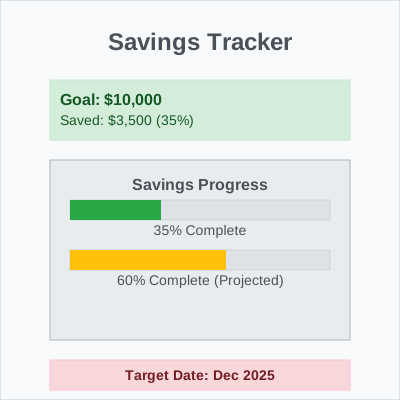
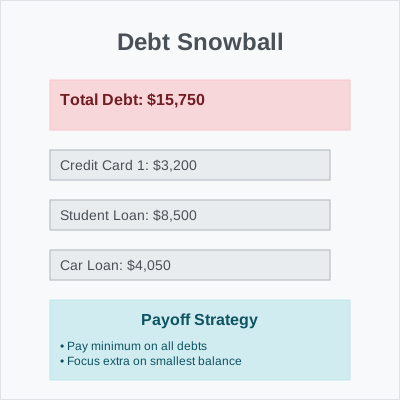
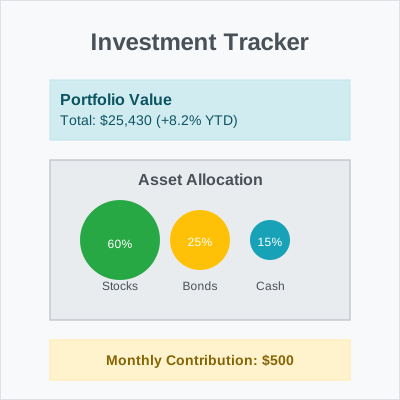
Budgeting template for Excel & Google sheets (all currencies)
0.00 dh
⚠️ This is a digital product – no physical item will be shipped!
⚠️ To download all files, please use the Safari or Chrome browser.
⚠️ Due to the digital nature of the product, WiseBudget does not offer returns, exchanges, cancellations, or refunds. Please read the description carefully before making your purchase!
⚠️ The files are for personal use only – they may not be resold, copied, distributed, modified, shared, or used commercially.
What you will get
What you will get
- ✅ Complete budgeting template for Excel & Google Sheets
- ✅ Works with all currencies worldwide
- ✅ Automated calculations and formulas
- ✅ Visual charts and graphs included
- ✅ Mobile-friendly design
- ✅ Easy-to-follow instructions
- ✅ Lifetime access to the template
How to use
How to use
- Step 1: Download the template file
- Step 2: Open in Google Sheets or Microsoft Excel
- Step 3: Enter your income and expense categories
- Step 4: Start tracking your budget immediately
Compatibility
Compatibility
Google Sheets
- ✅ Works on all devices
- ✅ Requires free Google account
- ✅ Automatic updates
Microsoft Excel
- ✅ Excel 2016 or later
- ✅ Office 365 compatible
- ✅ Excel Online support